Smarter routes.
Real savings.
Binley is powered by EvolveOne Routes — a dedicated AI route optimization engine that calculates the true cost of every route using your actual fleet data, driver rates, and landfill contracts.
Not miles saved. Dollars saved.
What is EvolveOne Routes?
EvolveOne Routes is a dedicated logistics optimization engine built for field service operations. It runs a Capacitated Vehicle Routing Problem with Time Windows (CVRPTW) solver — the same class of algorithm used in enterprise supply chain and last-mile delivery — specifically tuned for the stop patterns and vehicle constraints of roll-off operations.
Unlike generic mapping tools that sort stops by proximity, Routes receives your actual operational data from Binley: vehicle capacities, fuel cost per mile per vehicle, driver schedules and hourly rates, landfill locations and rate cards by material type, and hard delivery windows where they exist. It uses all of it.
The integration is not an export. Routes reads directly from Binley's live order database — so the solve always reflects the current state of your dispatch board, including same-day additions and cancellations. There is no CSV, no copy-paste, no lag.
Built for how dispatchers actually work.
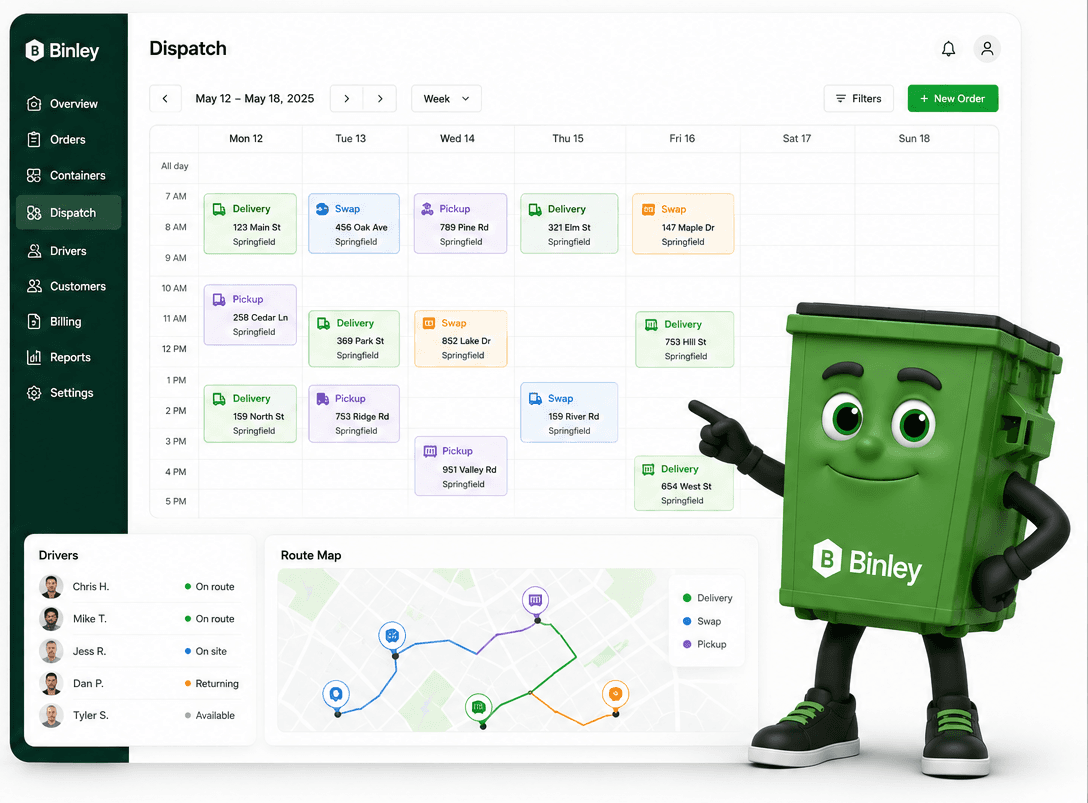
Route optimization is only useful if it gives operators the information they need to make the call — not just a sequence of stops.
Dollar-precise cost breakdown
Every route scenario shows total cost — not an estimate, not a benchmark, but a number calculated from your actual fuel cost per mile, driver hourly rates, and landfill rate cards for today's specific material types.
Three-scenario dispatch
Fastest, Balanced, and Cheapest — each a fully solved route. Dispatchers pick the scenario that fits today's priorities. Peak days call for speed. Slow weeks call for cost savings. You decide, with full information.
Mid-day re-optimization
New order at 11 AM after routes are out? Routes re-solves around existing committed stops and returns an updated cost comparison. No manual reshuffling. No whiteboard.
Instant dispatch push
Accepted routes push to the driver app immediately. Stop sequence, turn-by-turn directions, job notes, and special instructions — delivered before the driver leaves the yard.
How it works
Orders flow in
Deliveries, swaps, pickups, and overflow stops enter Binley via the booking portal, manual entry, or the AI Sidekick. Each order carries material type, container size, job site address, and any special instructions.
Routes receives the solve request
When a dispatcher opens Dispatch and clicks Optimize, Binley sends today's open stops to the EvolveOne Routes solver along with your fleet config — vehicle capacities, fuel costs, driver assignments, and landfill rate cards.
CVRPTW solves three scenarios
The solver runs a Capacitated Vehicle Routing Problem with Time Windows (CVRPTW) — the same class of algorithm used in enterprise logistics. It returns three fully solved route sets optimized for different objectives: time, cost-balance, and total cost.
Dispatcher sees the cost panel
A side-by-side comparison shows Fastest, Balanced, and Cheapest scenarios with per-route and total-day cost breakdowns. Fuel cost, labor cost, landfill fees, and estimated savings vs. manual dispatch — all visible before any route is accepted.
Accept and push to drivers
One click accepts the chosen scenario and pushes optimized routes to the driver app. Drivers see their stop sequence, turn-by-turn navigation, job details, and photo capture — ready to go before they leave the yard.
The cost panel every dispatcher needs.
When Routes returns its solve, dispatchers see three scenarios side-by-side. Each shows total fuel cost, total labor cost, total landfill fees, and the dollar savings versus the manual baseline — all calculated from your own operational data.
- Fastest
Minimizes total drive and service time. Best for peak volume days where speed is the constraint.
- Balanced
Balances time and cost. The default recommendation for most operating days.
- Cheapest
Minimizes total dollar cost — fuel + labor + landfill. Best for slow days where margin protection matters most.
See the cost panel on your routes.
Book a demo and we'll run a live route optimization using your real stop volume so you can see exactly what the cost breakdown looks like for your operation.
No commitment. Under 30 minutes.